
A pocket knife of desktop minitools.
JLToys sits in the notification area and waits. Thirteen small tools, each with its own global hotkey: magnify, snip and annotate, pick a colour, measure, grab text off the screen, keep notes with alarms, remember what you copied.
Press the key, do the thing, carry on. The panel (Win+Z, or a click on the tray icon) is where you tune them.
The tools
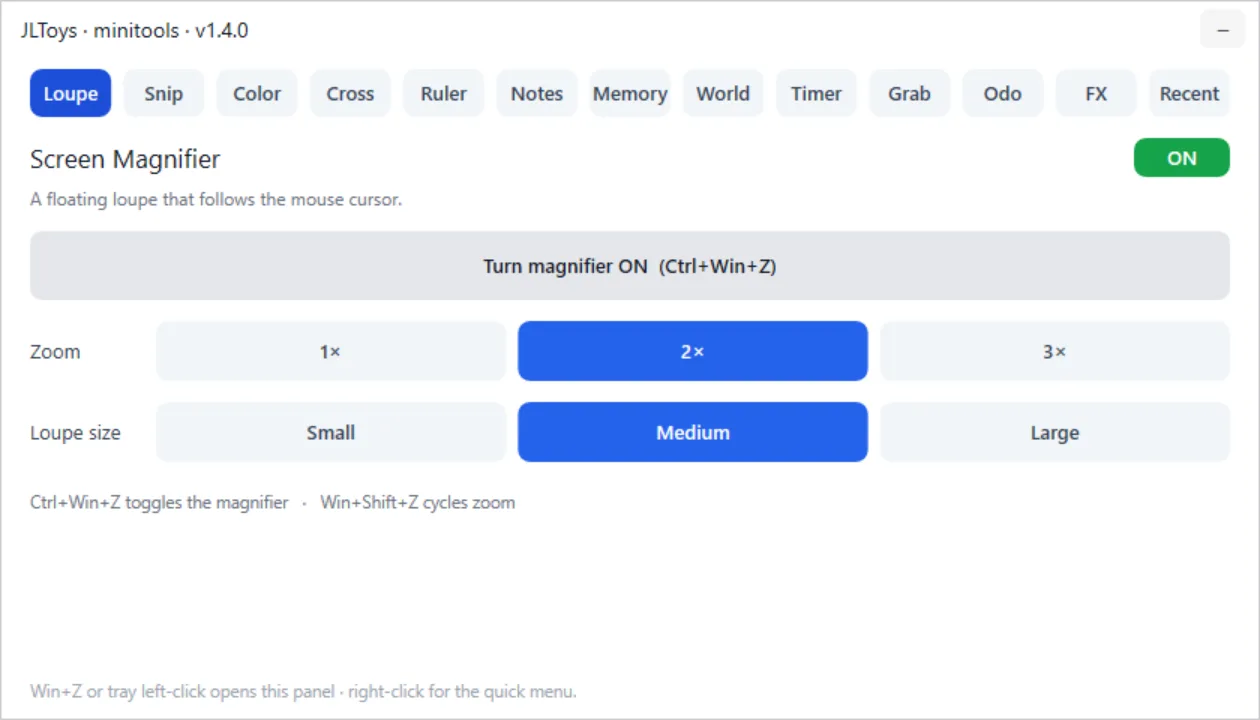
| 🔍 Loupe | Ctrl+Win+Z | A floating magnifier that follows the cursor. 1×, 2× or 3×, three sizes; Win+Shift+Z cycles the zoom. It keeps itself out of screen captures. |
| ✂️ Snip | Ctrl+Win+PrtScr | Freeze the screen, drag one or many regions (Shift+drag removes, Tab draws a lasso), then annotate: highlighter, redact, pen, arrow, text. The PNG goes to a history folder and the clipboard. |
| 🎨 Color | Ctrl+Win+C | An eyedropper with a pixel loupe (4×, 8×, 16×; arrow keys nudge one pixel). A click copies the #hex; the panel keeps the last eight swatches. |
| ✛ Cross | Ctrl+Win+X | A crosshair to the monitor edges and a reticle with a pixel scale around the cursor. Win+wheel tunes the mouse speed while it is on. |
| 📏 Ruler | Ctrl+Win+V | A measuring tape over a frozen screen: drag for the length in pixels, Shift snaps to 0/45/90°, and one calibration turns pixels into metres, feet or kilometres on a map. |
| 📝 Notes | Ctrl+Win+N | Sticky notes with alarms: from 5 minutes to tomorrow 9:00, once, daily, weekdays or chosen days, snooze, and an Archive button that files the note into Memory. |
| 🧠 Memory | Ctrl+Win+M / B | M remembers what is on the clipboard, text or image; images are read with OCR in the background so their words are searchable. B opens a search over everything remembered. |
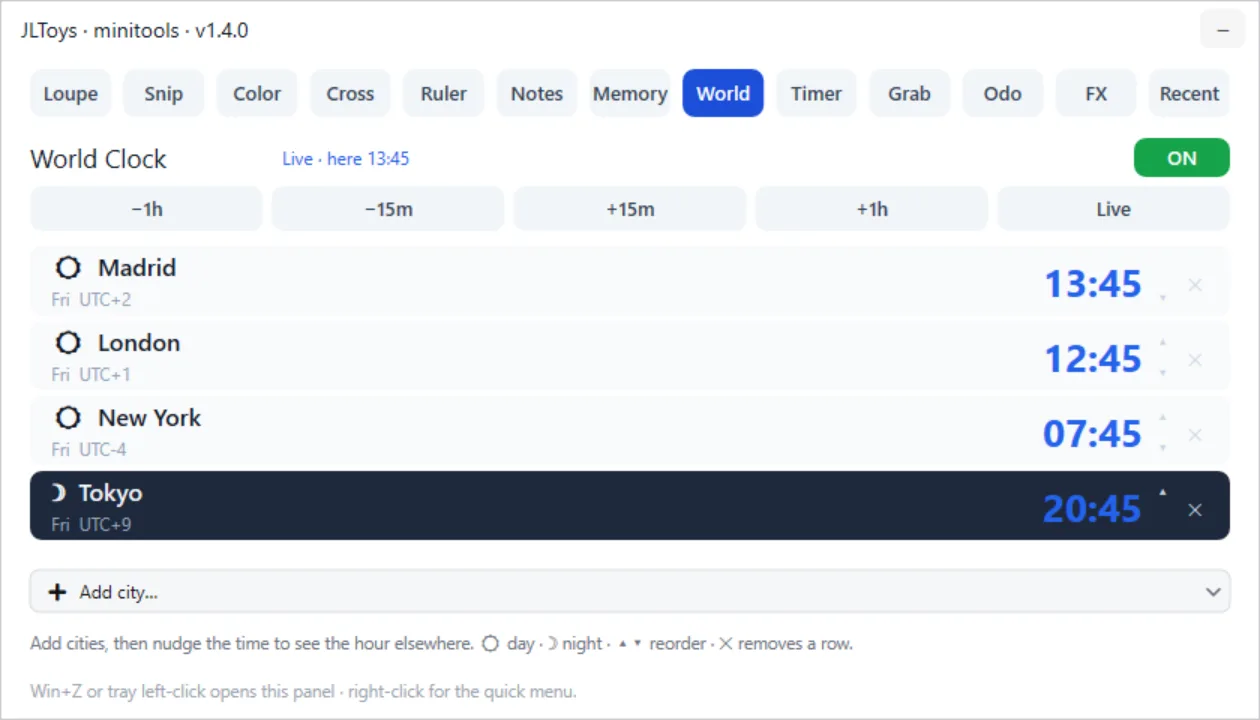
| 🌍 World | A rack of world clocks with day and night tint. Shift the whole rack with − and + to ask "what time is it there when it is 3 pm here". | |
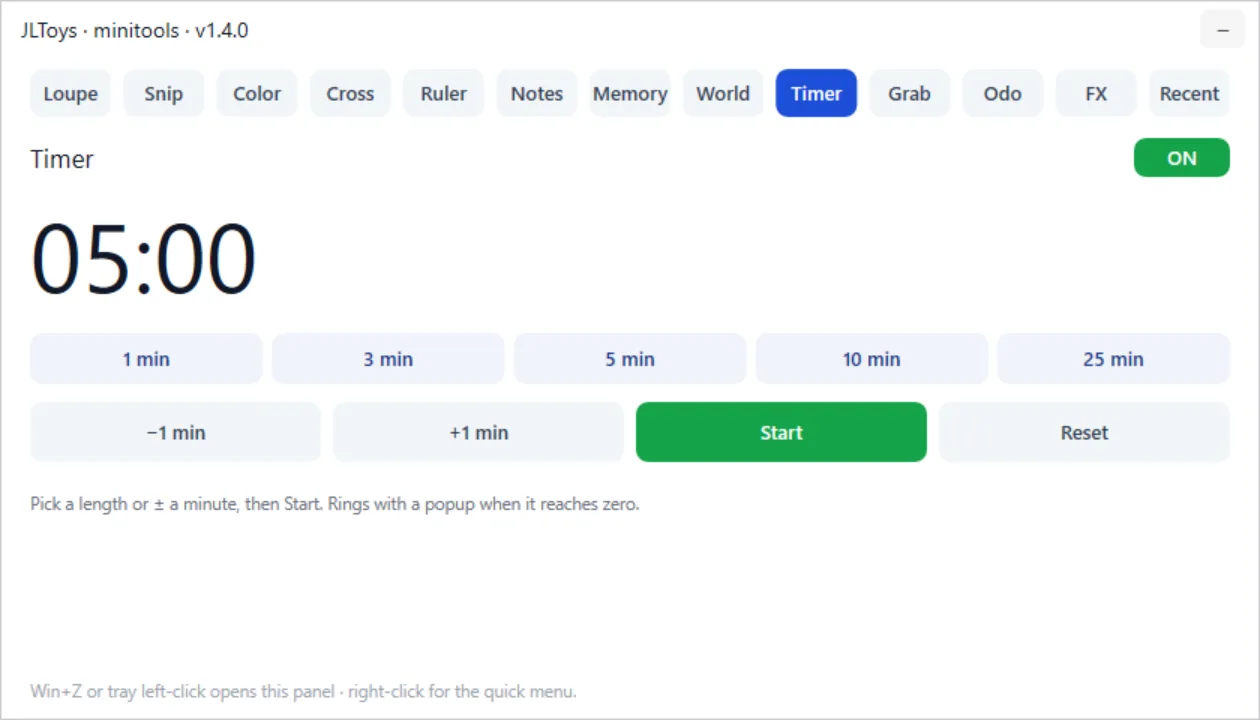
| ⏱ Timer | Ctrl+Win+T | A countdown with presets, ±1 minute, pause and reset. At zero it beeps and shows an alert on top with Dismiss and +1 min. |
| 🔤 Grab | Ctrl+Win+G | Drag a rectangle over anything on screen and its text lands on the clipboard, lines kept (Windows OCR, Spanish and English), with "Save to Memory". |
| 🛣 Odo | A mouse and keyboard odometer: metres the cursor travels and keys pressed, today, the day's projection, the daily average and all time. | |
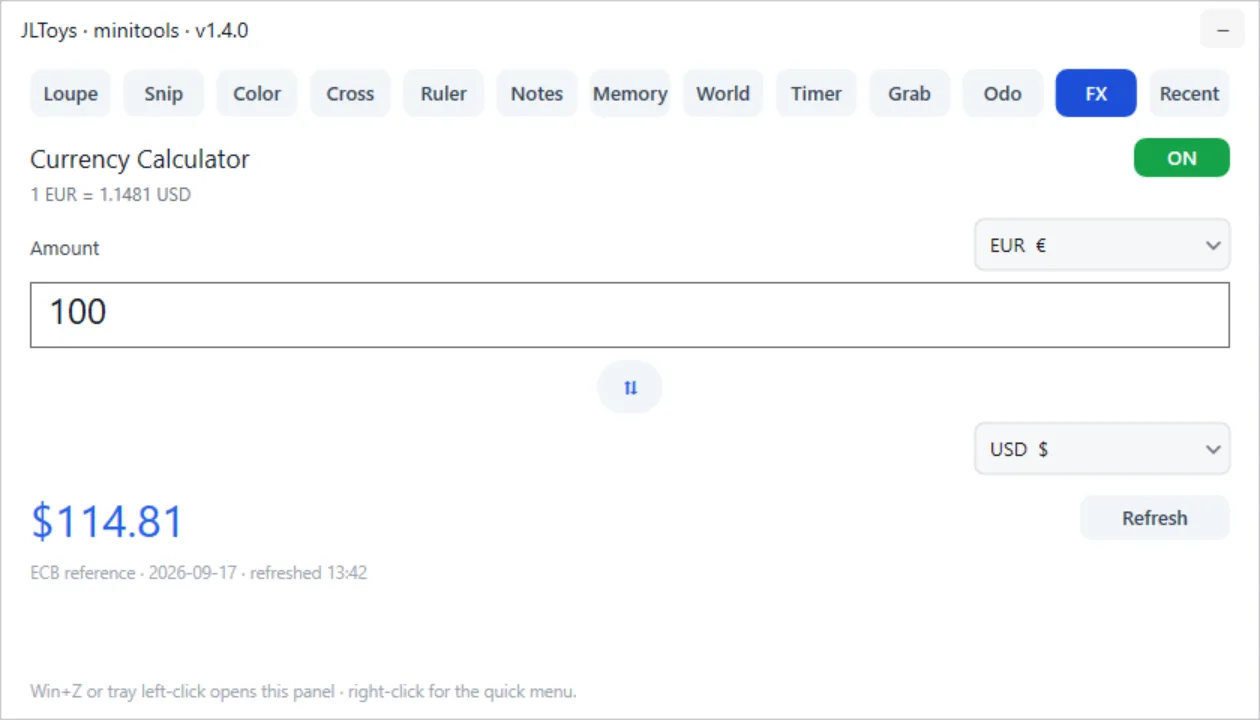
| 💱 FX | A currency calculator over the ECB reference rates (about 28 currencies), with the last pair kept for offline starts. | |
| 🕘 Recent | Ctrl+Win+R | Every URL, e-mail address and file path you copy, in a searchable list grouped by time. Enter copies it back, ↗ opens it. |
Every tool can be switched off from its tab; an off tool releases its hotkey and its tray entry.
Download
JLToys is free. No account needed.
Windows 10 or 11, 64-bit. The setup installs for your user (no administrator), adds a Start Menu entry and offers to start JLToys with Windows. It is code-signed by CHRONOSCAN CAPTURE S.L.
Using ChronoScan Tools? JLToys is in its catalog: install it and keep it up to date from the tray.
Questions
Does anything leave my PC?
No. Settings live in %APPDATA%\ChronoUI\jltoys.ini; notes, memory and recents in small text files next to it; snips in Pictures\JLToys. The only network calls are the version check and the currency rates (api.frankfurter.app, no key, no account).
Do I need a Miniserver account?
No. JLToys works entirely on your PC; this page is where it lives among the other ChronoScan tools.
Is the setup signed?
Yes: the setup you download here is code-signed by CHRONOSCAN CAPTURE S.L. (right-click it, Properties → Digital Signatures), and its SHA-256 is shown above. If Windows SmartScreen still stops it, choose More info → Run anyway.
How does it update?
JLToys checks for a newer version when it starts and shows a green button in the panel when there is one. It never downloads or installs anything by itself. With ChronoScan Tools, the hub updates it for you.
How is it built?
Win32 and Direct2D, one exe and one DLL. Each tool is a self-contained piece of ChronoUI, a small widget framework; the tray icon is drawn at run time.