
A mind map of your Claude Code sessions.
Claude Code keeps every conversation on disk, but finding that one chat where we fixed the webhook retries means scrolling a flat list of first prompts. ClaudeMM reads those transcripts and turns them into a map you can pan, zoom, fold, tag and annotate.
And it plugs back into Claude Code: the map is one command away from any session, and Claude itself can search, tag and reopen your past chats.
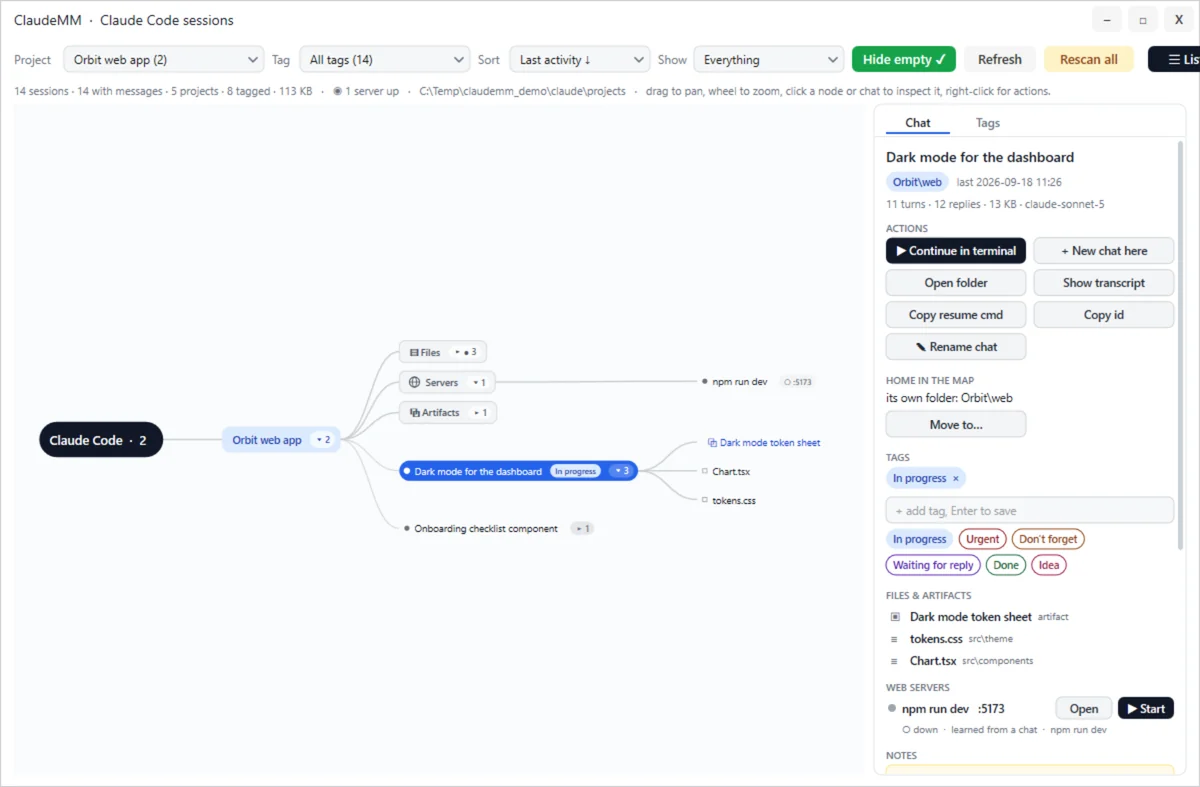
What you get
The map
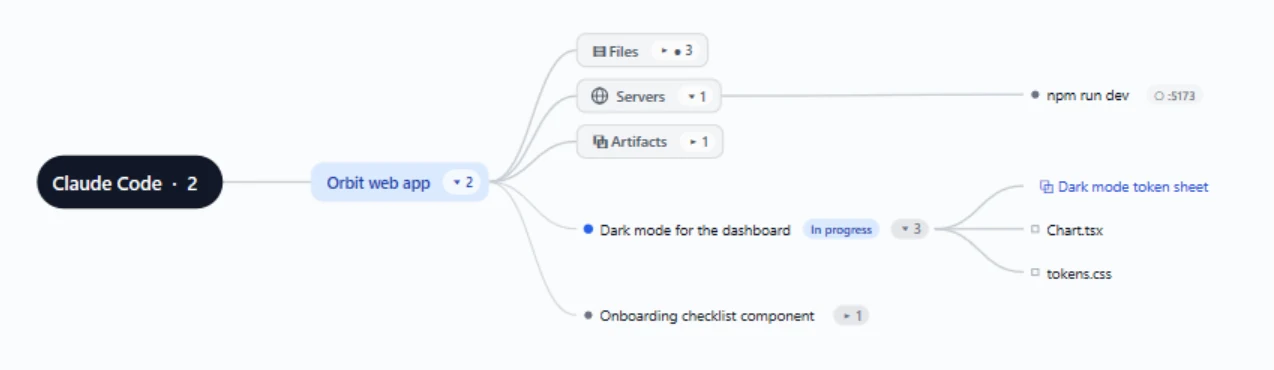
Every working directory becomes a branch, every chat a leaf. Fold what you do not care about, zoom into what you do. Add your own nodes ("Roadmap Q4", "To review with Anna"), drag chats into them, give folders friendlier names.
What came out of a chat
Unfold a chat to see its note, the artifacts it published, the files it wrote (missing ones greyed) and your links. Every folder also has an Artifacts branch with everything its chats produced.
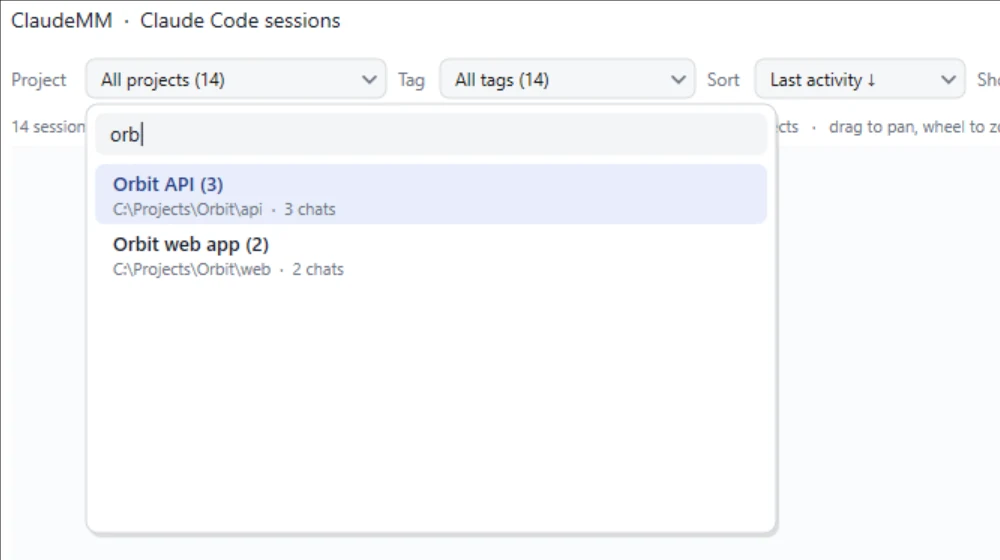
Search that means it
Titles, prompts, folders, branches, tags, the files a chat wrote and your notes. Type in the list and the map narrows to the results and the folders above them.
Tags and notes
Five presets (In progress, Urgent, Don't forget, Waiting for reply, Done) plus your own, with colours. A free-text note on any chat or node, autosaved and searchable.
Continue where you left off
Open a chat in the Claude desktop app, or in a terminal with claude --resume in its folder. Start a new chat in any folder from the map.
Your dev servers
Projects that run something on a local port get a Servers branch, learned from .claude/launch.json, from the start commands Claude ran in your chats, or from package.json. See what is listening; Open, Start and Stop from the map.
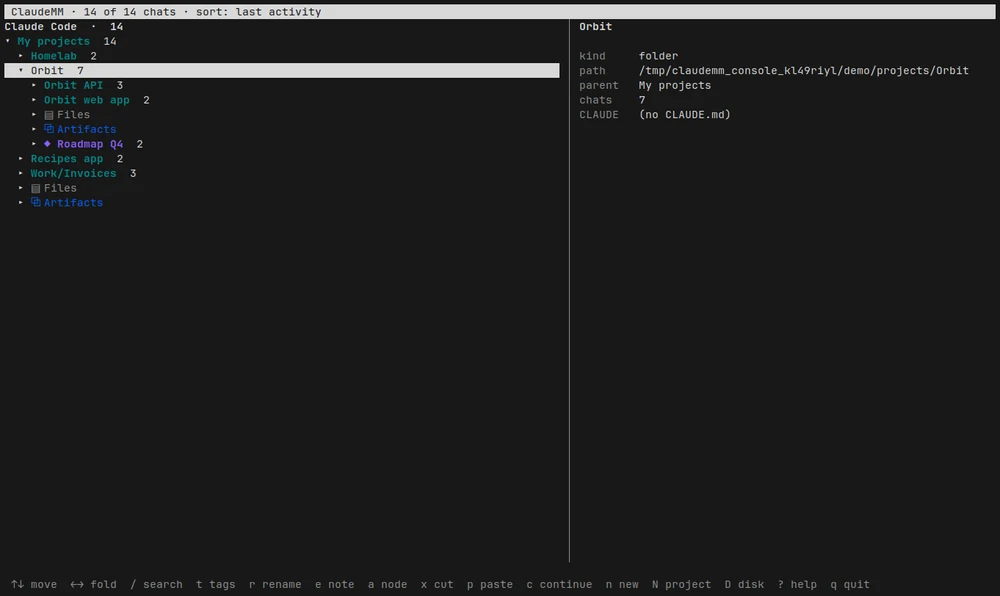
ClaudeMMConsole: the same map as an outline in a terminal, on Windows and Linux. It edits the same files as the window.The Claude Code plugin
The plugin is what connects ClaudeMM to Claude Code, in the terminal and in the desktop app. It ships the app itself, so installing it is enough to get everything. In a terminal:
claude plugin marketplace add vider73/claudemmclaude plugin install claudemm@chronoscanOr inside a Claude Code session: /plugin marketplace add vider73/claudemm, then /plugin install claudemm@chronoscan. To update later: claude plugin update claudemm@chronoscan. The Windows setup below does the same for you when you leave Register with Claude Code ticked.
/claudemm:mm | Shows the current chat in the map: clears the search, zooms to it and blinks it for a moment. |
/claudemm:tag | Tags the current chat (/claudemm:tag Urgent, Fiscal; with no arguments Claude picks the tags). Claude also tags the chat it is in on its own, and every tool accepts "current" as the session. |
| MCP tools | Claude can search, read and organise your session index: search_sessions, list_sessions, get_session, list_projects, list_tags, set_tags, rename_session, set_note, show_in_map, open_session, rescan and web_servers. Ask "which sessions did I tag Urgent?", "find the chat about the Postgres migration and open it" or "is the frontend dev server up? start it". |
| Live hooks | Session start, prompt, stop and notification events reach the map, so running sessions pulse and finished ones settle, without polling. |
Download
ClaudeMM is free and open source (MIT). No account needed.
The setup installs the app with a Start Menu entry and the console, and registers the Claude Code plugin. Windows 10 or 11, 64-bit, with Claude Code signed in.
Install
Run the setup and keep Register with Claude Code ticked. Or skip the setup and install the plugin with the two commands above.
Open the map
From the Start Menu, or type /claudemm:mm in any Claude Code session: the window comes up on that chat.
Organise
Tag, rename, add notes and your own nodes. Or ask Claude to do it: it sees the same index through the plugin.
Stay current
ClaudeMM checks for a newer version when it starts and shows a green button when there is one. It never downloads or installs anything by itself.
Questions
Does anything leave my PC?
No. ClaudeMM reads the transcripts Claude Code already writes under ~/.claude/projects (and the desktop app's local sandboxes), never modifies them and never uploads anything. What it adds (tags, notes, nodes, folder names, window state) lives in small text files under %APPDATA%\ChronoUI. Remove that folder and it is as if it never ran. The only thing it asks the Internet is whether a newer version is out.
Do I need a Miniserver account?
No. ClaudeMM works entirely on your PC; this page is just where it lives among the other ChronoScan tools.
Windows says it protected my PC
The setup is not code-signed yet, so Windows SmartScreen may stop it the first time: More info → Run anyway. You can check the file first: its SHA-256 is shown above and on the GitHub release, and the source is public.
What does it need?
Windows 10 or 11, 64-bit, and Claude Code. The app links the Microsoft Visual C++ 2015-2022 x64 runtime, which most PCs already have; if ClaudeMM does not start, install that runtime from Microsoft.
Linux?
ClaudeMMConsole, the map in a terminal, runs on Windows and Linux. The window also builds on Linux from source (SDL2, Cairo and Pango through ChronoUI's Linux port), with its data under ~/.config/ChronoUI.
How is it built?
Win32 and Direct2D, one exe, no runtime to install. The same binary is the window, the MCP server (--mcp), the hook forwarder (--hook) and the plugin registrar. It lives inside ChronoUI, a small immediate-mode widget framework.