Find the files you keep twice.
The same photo in three folders, the video exported twice, the backup of a backup. ChronoDuplicates reads only what can be a duplicate, groups the copies by the space they waste, and sends the ones you pick to the Recycle Bin. One copy of everything always stays.
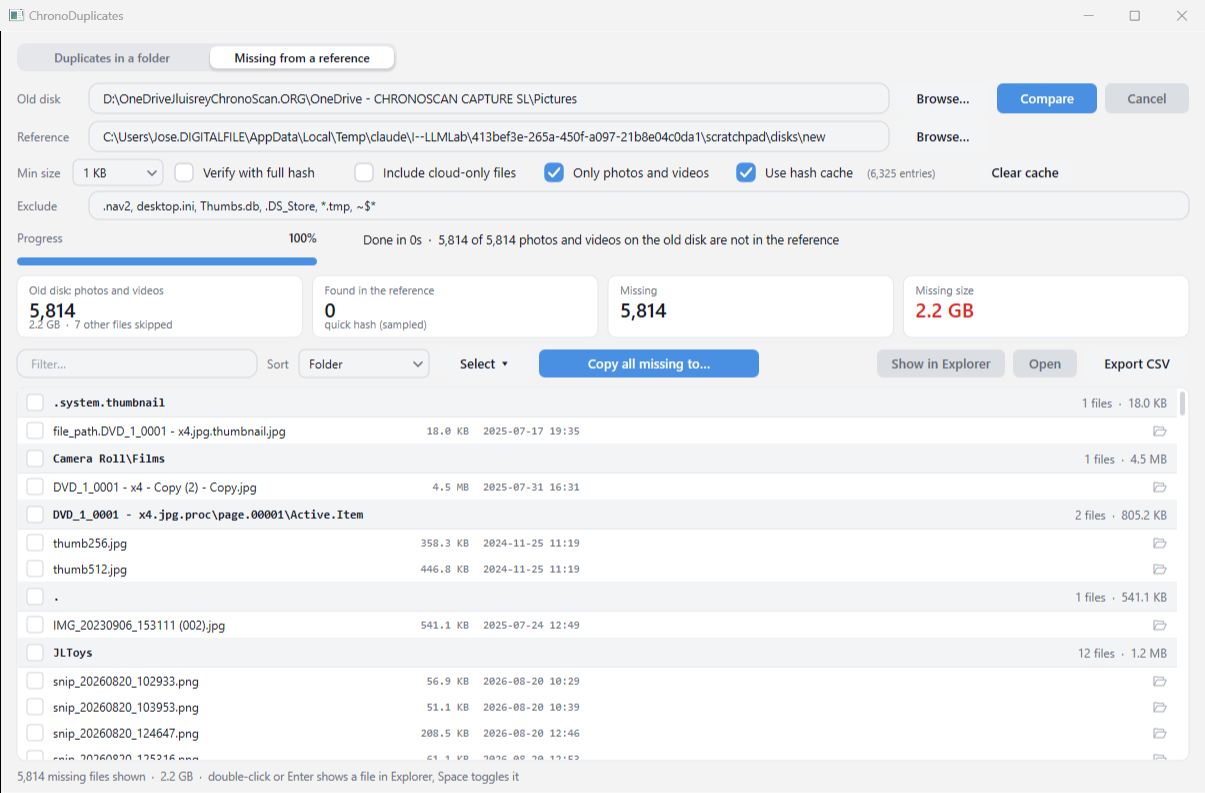
And the other way round: give it an old disk and your current one, and it lists the photos and videos the old disk still has that the new one does not, ready to copy back. How the two-disk mode works.
How it is fast
Size first
Only files that share a size can be identical, so nothing else is ever opened. On a 73,000-file tree that leaves about 6,000 candidates.
A quick hash
Each candidate gets a 64-bit hash of three 64 KB samples (head, middle, tail) plus its size. Small files are hashed whole, so for them quick already means verified.
Verify when it matters
Turn on Verify with full hash and every group that collides on the quick hash is re-read completely before you decide anything. Verified groups show a green badge.
A cache that remembers
Hashes are kept by path, size and date, so the second scan of the same folder only reads what changed.
What you get
Groups you can read
Sorted by wasted space, or by size, copies or name. Filter by any part of the path. Every file shows its folder and date; a click opens it in Explorer.
Pick in one go
Select keeps the newest, the oldest, the shortest path or the first copy of every group and ticks the rest. Or tick by hand, per file or per group.
Safe by design
Nothing is deleted: copies go to the Windows Recycle Bin after a confirmation, and the tool refuses to remove the last copy of a group even if you ticked them all.
OneDrive aware
Cloud-only placeholders are skipped by default, because reading them would download them. Include them on purpose when you want to.
Reports
Export the groups to CSV (Excel friendly) and keep a record before and after cleaning up.
A console twin
ChronoDuplicatesCli runs the same engine from a script: scheduled scans, reports, or --recycle newest with a dry run first.
Two disks: what did the old one have that the new one lost?
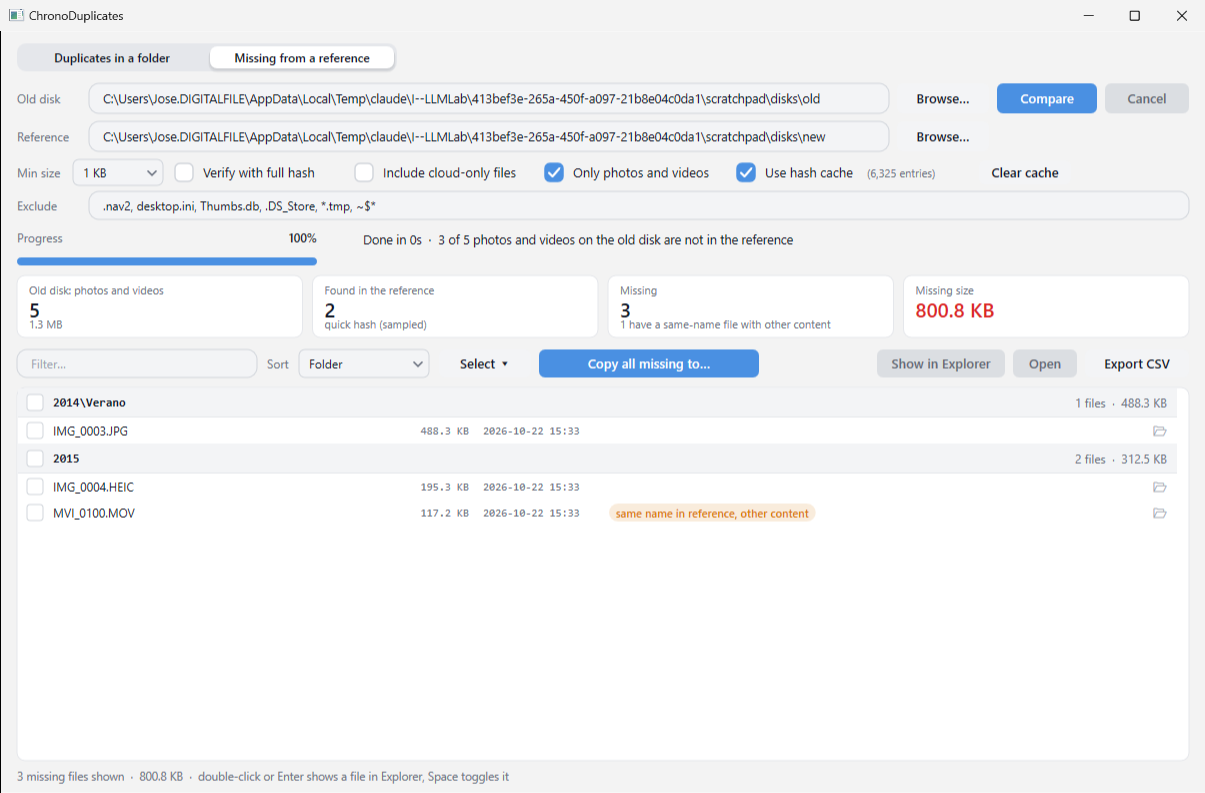
Point it at the old disk and at the disk that is supposed to have everything. It lists what the old one has and the reference does not, by content, so a photo that was renamed or moved counts as present. Files are grouped by their old folder; a file whose name exists in the reference with other content (a re-export, a trimmed video) is flagged, so you can decide.
Photos and videos only by default (jpg, heic, png, raw, mov, mp4…), or every file. Copy missing to… puts them in a folder you choose, keeping the subfolders, and skips what is already there.
Download
ChronoDuplicates is free while in beta. It asks for a Miniserver account, the same free account that serves the other ChronoScan apps, so we can tell you when a new version is out and hear what you find.
Questions
Does anything leave my PC?
No. The scan, the hashes and the cache stay on your PC; the app makes no network calls. Only this download page uses your account.
Quick or verified?
Quick mode is enough to find duplicates and is what makes the scan fast. Before recycling large files you care about, run the same scan with Verify with full hash: it re-reads only the files that collided, and the badge turns green.
Can I get a file back?
Yes: open the Windows Recycle Bin and restore it. ChronoDuplicates never deletes permanently.
Which Windows?
Windows 10 or 11, 64-bit. The setup and the executables are signed by CHRONOSCAN CAPTURE S.L.
How does the two-disk mode decide a photo is missing?
By content, not by name or folder. An old file counts as present when the reference has a file with the same size and the same hash, wherever it is and whatever it is called. A file whose name exists in the reference with other content is listed as missing and flagged: that is usually a re-export, an edited version or a trimmed video, worth a look by hand.
Does it change anything on the old disk?
No. The two-disk mode only reads. Copy missing to… writes into the folder you choose, keeps the old subfolders, and skips a file that is already there with the same size.
What counts as a photo or video?
jpg, jpeg, png, gif, bmp, tif, webp, heic, heif, avif, raw formats (cr2, cr3, nef, arw, dng, orf, raf, rw2), psd, mov, mp4, m4v, avi, mts, m2ts, 3gp, mkv, wmv, mpg, webm, mod and vob. Untick Only photos and videos to compare every file.
Where is the cache?
In %LOCALAPPDATA%\ChronoDuplicates, next to the settings. Clear cache in the window empties it.